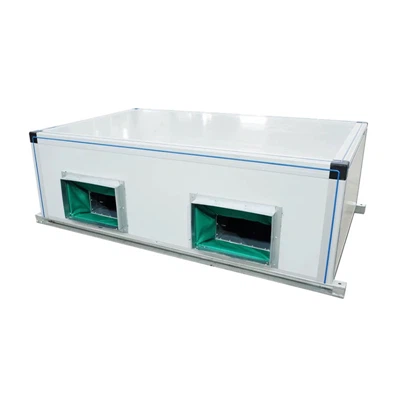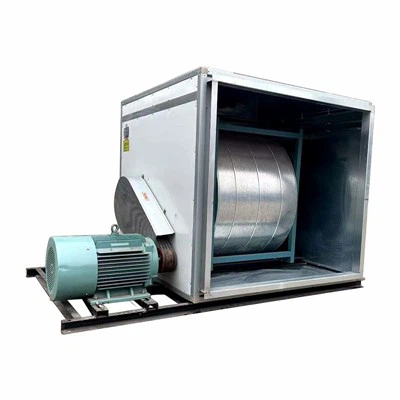

As a supplier of Control Cabinet AC Units, I understand the importance of keeping your equipment up - to - date. Upgrading the software of control cabinet AC units can enhance performance, improve energy efficiency, and extend the lifespan of the units. In this blog, I'll share some practical steps on how to upgrade the software of these units.
1. Assess the Current Software Version
The first step in upgrading the software of control cabinet AC units is to determine the current software version. This can usually be done through the unit's control panel or by accessing the internal system. Knowing the existing version helps you identify the appropriate upgrade package. Some units may have a display that shows the software version number, while others may require you to connect to the unit using a specific software tool provided by the manufacturer.

2. Research the Available Upgrades
Once you know the current software version, it's time to research the available upgrades. Check the manufacturer's official website for the latest software releases. Manufacturers often provide detailed information about the new features, bug fixes, and improvements in each upgrade. You can also look for technical bulletins or release notes that explain what has changed in the new version.
For example, an upgrade might include better temperature control algorithms, which can lead to more precise temperature regulation in the control cabinet. It could also enhance the unit's communication capabilities, allowing for easier integration with other systems.
3. Check Compatibility
Before proceeding with the upgrade, it's crucial to ensure that the new software is compatible with your control cabinet AC unit. This involves checking the model number, hardware specifications, and any other requirements specified by the manufacturer. Some upgrades may require additional hardware components or specific operating conditions.
If you're unsure about compatibility, reach out to the manufacturer's technical support team. They can provide you with accurate information and guidance to avoid any potential issues during the upgrade process.
4. Backup Data
Before starting the software upgrade, it's essential to back up any important data stored in the control cabinet AC unit. This includes settings, schedules, and any custom configurations. Losing this data during the upgrade could lead to operational disruptions.
Most modern control cabinet AC units allow you to export data to an external storage device or a computer. Follow the manufacturer's instructions for backing up the data to ensure a successful restoration if needed.
5. Prepare the Upgrade Environment
To ensure a smooth upgrade process, you need to prepare the upgrade environment. This includes having a stable power supply, a reliable network connection (if the upgrade is performed remotely), and the necessary tools and software.
Make sure the control cabinet AC unit is in a stable operating state and that all other connected systems are functioning properly. If the upgrade requires specific software tools, download and install them in advance.
6. Perform the Upgrade
Once you've completed all the preparations, it's time to perform the upgrade. The process may vary depending on the manufacturer and the type of control cabinet AC unit. Some upgrades can be performed through the unit's control panel, while others may require connecting the unit to a computer and using a dedicated software application.
Follow the manufacturer's step - by - step instructions carefully. During the upgrade, it's important to monitor the process closely to ensure that everything is progressing as expected. If any errors occur, refer to the troubleshooting guide provided by the manufacturer or contact their technical support.
7. Test the Upgraded System
After the upgrade is complete, it's crucial to test the control cabinet AC unit to ensure that it's functioning properly. Check the temperature control, fan operation, and any other features that may have been affected by the upgrade.
Run a series of tests to verify that the new software is working as intended. This may include setting different temperature levels, checking the response time of the unit, and monitoring the energy consumption. If you notice any issues, document them and contact the manufacturer for assistance.
8. Maintain and Monitor
Once the upgrade is successful and the system is tested, it's important to maintain and monitor the control cabinet AC unit regularly. Keep an eye on the performance, energy consumption, and any error messages.
Regular maintenance can help prevent future problems and ensure the long - term reliability of the unit. Follow the manufacturer's recommended maintenance schedule, which may include tasks such as cleaning the filters, checking the refrigerant levels, and inspecting the electrical connections.
The Benefits of Upgrading
Upgrading the software of control cabinet AC units offers several benefits. Firstly, it can improve energy efficiency. Newer software often includes advanced algorithms that optimize the unit's operation, reducing energy consumption and lowering costs.
Secondly, software upgrades can enhance the performance of the unit. They can provide more accurate temperature control, better humidity regulation, and improved air circulation. This can help protect the sensitive equipment inside the control cabinet from overheating and damage.
Finally, upgrading the software can extend the lifespan of the control cabinet AC unit. By fixing bugs and improving the overall stability of the system, the unit is less likely to experience breakdowns and malfunctions.
Related Products
If you're interested in other air - conditioning solutions, we also offer a range of products such as the Remote Jet Air Conditioning Unit, Vertical Air Conditioning Unit, and Fresh Air Exchanger for House. These products are designed to meet different needs and provide high - quality air - conditioning solutions.
Contact Us for Procurement
If you're considering upgrading the software of your control cabinet AC units or are interested in purchasing our products, we're here to help. Our team of experts can provide you with detailed information, technical support, and guidance on the best solutions for your specific requirements.
We understand that every customer has unique needs, and we're committed to providing personalized service. Whether you're a small business or a large industrial facility, we can offer the right products and services to meet your air - conditioning needs.
References
- Manufacturer's user manuals and technical documentation for control cabinet AC units.
- Industry reports on air - conditioning technology and software upgrades.